Chicken And Crow Blast
Instructions:
Left Mouse Button - Shoot Right Mouse Button - Aim Scroll Mouse Button - Change Weapon R - ReloadDescription
Chicken And Crow Blast Advanced Gameplay Tactics
Top Tips
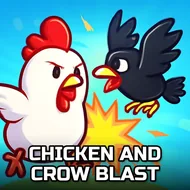
Crows don't sit still for long, so the first thing worth learning here is patience mixed with quick reflexes, which sounds contradictory but that's farm life for you. Watch the flight patterns before you start blasting away, because most beginners waste half their ammo firing at empty sky where a crow used to be a second ago. The pistol works fine for close targets flapping around the barn, but once birds start circling higher up, swap to the sniper and take your time lining up the shot instead of spraying and praying. Chickens wandering the yard are a different story entirely, slower and more predictable, so use those moments to steady your aim and get a feel for the recoil before the harder targets show up. Reloading mid-fight always feels risky, but doing it a beat early, right after you clear a small group, saves you from fumbling when three crows suddenly dive at once. Also, don't ignore the aim button just because it slows your movement a touch; that extra stability is usually worth more than the speed you're giving up.
Controller & Keyboard Guide
- Left Mouse Button fires whichever weapon is currently equipped.
- Right Mouse Button brings up the aim view for steadier, more accurate shots.
- Scroll Wheel swaps between the pistol and the sniper rifle on the fly.
- R reloads your current weapon when the magazine runs dry.
- Mouse movement handles all aiming and camera control across the farm.
The point of it all is pretty straightforward: clear out the crows, keep the chickens safe or count them among your targets depending on the mission, and rack up a clean hunting run across the farm's open 3D spaces. It's a simple loop, sure, but the mix of pistol precision and sniper patience gives the shooting a bit more texture than you'd expect from a quick browser game.